
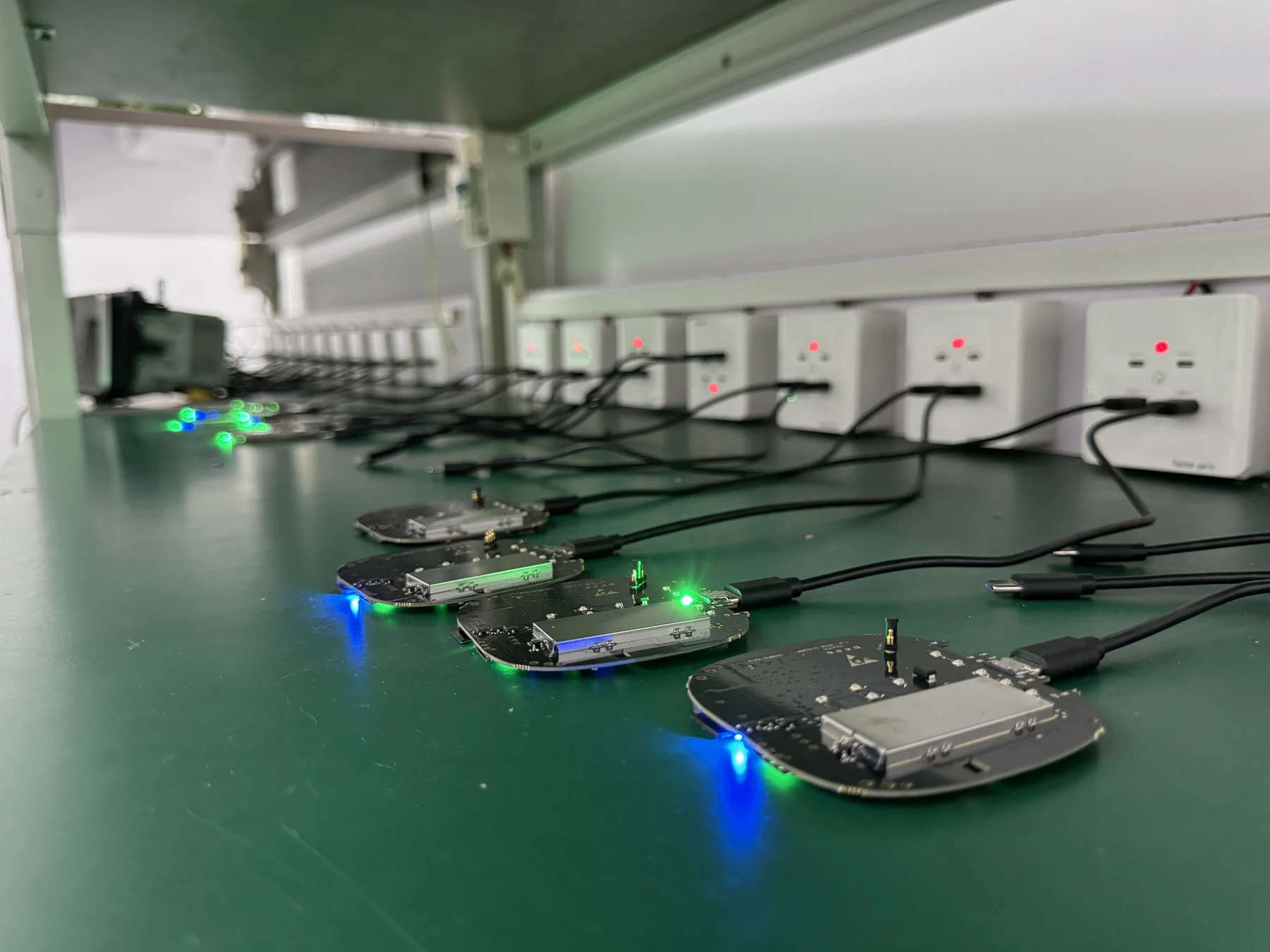
Does a CarPlay AI Box Work with Factory CarPlay? A B2B Compatibility Guide
Short answer: A CarPlay AI Box normally works only when the vehicle or aftermarket head unit already supports a compatible wired CarPlay connection through USB. Factory wireless CarPlay alone is not enough unless the vehicle can also start wired CarPlay from the relevant USB port. Buyers should verify the car, head unit, USB port, control method and software version before ordering in volume.
That answer is simple. Building a product range with a low return rate is not.
Importers and distributors have to support many combinations of vehicle year, trim, region, infotainment software, USB interface and phone operating system. Two cars with the same model name may use different head units. A mid-cycle vehicle update can change the USB behavior. A product that starts correctly may still have problems with steering-wheel keys, microphones, reverse-camera interruption, screen resolution or sleep-and-wake behavior.
This guide explains how to qualify a CarPlay AI Box before a wholesale order. It is written for buyers, product managers and technical support teams that need a repeatable compatibility process rather than a vague claim that a device is “universal.”
What is a CarPlay AI Box?
A CarPlay AI Box is a compact computing device that connects to a compatible vehicle USB port and uses the existing CarPlay display and control channel to present an Android-based interface. Depending on the model, it may also provide wireless CarPlay, wireless Android Auto, app installation, navigation, Wi-Fi, Bluetooth, GPS, cellular connectivity, storage expansion or HDMI input/output.
This is different from a basic wireless CarPlay adapter. A basic adapter mainly converts an existing wired CarPlay session into a wireless connection for a phone. An AI Box adds its own processor, memory, storage and operating system. That extra capability also adds more compatibility variables.
Wooboomagic's current product catalog illustrates the category range. It includes compact wireless adapters, 4-in-1 adapters, CarPlay video boxes and Android AI boxes based on Qualcomm QCM6115, QCM6125, QCM6225 and QCM6350 platforms. Some models use Android 13 or Android 15; some add HDMI input or output. The correct product choice therefore depends on the intended application, not only on the housing design.
Does a CarPlay AI Box require factory wired CarPlay?
In most cases, yes. The vehicle must already recognize a phone through wired CarPlay on the USB port that will be used for the box.
Apple maintains a list of vehicles that offer CarPlay, but a model's presence on that list does not confirm that every year, trim, market or USB port behaves the same way. CarPlay can also be provided by an aftermarket head unit. For a B2B compatibility decision, the practical question is not simply “Does this car have CarPlay?” It is:
Can this exact infotainment system start a stable wired CarPlay session through this exact USB port?
If the answer is no, a conventional CarPlay AI Box is unlikely to work. The box is not a replacement head unit and does not add the underlying CarPlay host function to a screen that never had it.
What if the car already has wireless CarPlay?
Check whether it also supports wired CarPlay. Some vehicles provide both. Others are designed around wireless-only operation or expose a charging-only USB port. A wireless-only label should never be treated as proof that an AI Box will work.
A buyer should test the USB data port with a compatible iPhone and cable. If wired CarPlay starts reliably, the vehicle may be a candidate for an AI Box. If only wireless CarPlay is available, ask the supplier for model-specific evidence rather than assuming compatibility.
What about wired Android Auto?
Product architecture varies. Some boxes and 2-in-1 adapters use wired CarPlay as the host channel even when they later provide wireless Android Auto to the driver. Other products support a wired Android Auto host. Confirm the required host protocol for each SKU.
Google also advises users to confirm vehicle compatibility with the vehicle manufacturer. For wholesale buyers, that principle should be extended into a documented matrix covering the product, phone and head unit together.
The five compatibility layers B2B buyers should verify
Compatibility is not one checkbox. It is a stack of conditions.
| Layer | What to verify | Common source of failure |
|---|---|---|
| Vehicle and head unit | Make, model, year, trim, region and infotainment version | Same vehicle name uses different head units |
| Host connection | Factory wired CarPlay or another explicitly supported host protocol | USB port is charging-only or wireless-only |
| Physical interface | USB-A/USB-C cable, power stability and correct data port | Cable or port does not carry stable data |
| Display and controls | Resolution, touch, rotary knob, steering keys, microphone and audio routing | Main screen works but controls or calls do not |
| Software environment | Box firmware, car software, iOS/Android version and app version | Update changes handshake or reconnection behavior |
1. Vehicle identity
Record more than the model name. A useful compatibility request includes:
- brand and model;
- production year or model year;
- trim level;
- sales region;
- infotainment system name or version;
- original screen size and resolution if known;
- whether the screen is touch-controlled, knob-controlled or both.
VIN data can help, but buyers should avoid collecting more personal or vehicle information than they need. A photo of the system-information page and the CarPlay USB port is often more useful during initial screening.
2. Original CarPlay behavior
Test wired CarPlay before connecting the box. Use a known-good phone and certified cable. Confirm that the correct USB port launches CarPlay, audio works, the microphone works and the car's controls respond.
If wired CarPlay is already unstable, an AI Box should not be expected to repair the vehicle's underlying connection. Diagnose the car, cable or phone first.
3. Power and USB behavior
An AI Box needs data and power. Some head units supply limited current during startup, briefly interrupt USB power during engine cranking, or shut the port down aggressively after the ignition is turned off. These behaviors can cause long boot cycles or incomplete reconnection.
During sample testing, record whether the unit starts after a cold ignition, a warm restart and a short stop. Also test every supplied cable configuration. USB-A and USB-C connectors do not guarantee identical electrical or data behavior.
4. Controls and screen integration
A successful boot is not a complete pass. Check:
- touch accuracy across the screen;
- rotary-knob navigation and back buttons;
- steering-wheel volume and track keys;
- microphone pickup and call audio;
- media volume and navigation prompts;
- reverse-camera interruption and return;
- split-screen or secondary-display behavior;
- day/night mode and screen scaling.
Some vehicle-specific functions sit outside the CarPlay channel. A distributor should define which functions are required, supported with limitations, or outside scope.
5. Firmware and phone combinations
Create a test matrix with at least the phone families and operating-system versions common in the target market. For wireless CarPlay, test more than initial pairing. Repeat ignition cycles, phone switching and reconnection after calls or navigation use.
For wireless Android Auto, Google lists a compatible Android phone, an active data plan and 5 GHz Wi-Fi support among the wireless requirements. The adapter still needs compatible firmware and a suitable vehicle host connection.
A practical sample-testing protocol
The goal of sample testing is not to prove that one sample can turn on. It is to discover failure modes before a listing, shipment or private-label launch.
Step 1: Define the target vehicle population
Use sales data, marketplace demand or distributor feedback to identify the 10-20 vehicle families that matter most. Do not begin with an unlimited “all cars” claim. Rank vehicles by expected sales and return risk.
Step 2: Freeze the sample configuration
Record the model number, hardware revision, chipset, memory/storage configuration, firmware version, supplied cable and packaging version. Photograph labels and the device-information screen. This becomes the golden-sample record.
Step 3: Run installation-preparation checks
Before entering the vehicle:
- Inspect the USB connectors and housing.
- Confirm that the firmware label matches the sample record.
- Prepare a known-good iPhone, Android phone and cables.
- Remove conflicting Bluetooth and CarPlay pairing records when the procedure requires it.
- Note the vehicle's current software version and original CarPlay behavior.
Step 4: Test the complete drive cycle
Measure and record, rather than describing performance as merely “fast” or “stable.” Useful observations include:
- time from ignition to usable interface;
- first-pairing steps and time;
- reconnection after 10 or more ignition cycles;
- audio start and track-change response;
- navigation prompt behavior;
- call connection, microphone and echo performance;
- recovery after temporary phone or Wi-Fi interruption;
- temperature and stability during an extended session;
- behavior after reverse camera, parking sensor or OEM menu use.
The exact pass limits should match the product specification and customer requirements. If the supplier has no written limits, agree on them before mass production.
Step 5: Record exceptions clearly
A compatibility matrix should distinguish:
- verified compatible;
- compatible with a setup note;
- compatible with a known limitation;
- under verification;
- not recommended.
This is more trustworthy and operationally useful than a single percentage claim. It also gives the sales and support teams language they can use consistently.
Mid-article CTA - Send Your Requirements
Preparing a product range for multiple vehicle markets? Send your top vehicle models, target phones and required functions. Wooboomagic can recommend a sample configuration and a compatibility-test checklist before you place a bulk order. CTA button: Send Your Vehicle List
How distributors can reduce compatibility-related returns
Publish the prerequisite above the product benefits
Place “factory wired CarPlay required” or the correct host requirement near the top of the product page, packaging and manual. Do not hide it in a long FAQ. Show customers how to test the USB port before purchase.
Separate product categories accurately
A wireless CarPlay adapter, a 4-in-1 adapter, a CarPlay video box and a full Android AI Box solve different problems. Combining them under one generic listing attracts buyers with incompatible expectations.
For example:
- choose a basic adapter for customers who only want wired-to-wireless convenience;
- choose a 2-in-1 or 4-in-1 adapter when mixed iPhone/Android households or mirroring functions matter;
- choose a video box for defined media and interface use cases;
- choose an Android AI Box when apps, processing power, storage, cellular options or HDMI functions are required.
Use version-controlled compatibility data
Every compatibility record should identify the product firmware and test date. When a new firmware is released, retest the highest-volume vehicles and known exception cases. Keep archived versions so support teams can identify which units customers actually received.
Prepare first-line troubleshooting
A short decision tree can resolve many cases:
- Does wired CarPlay work directly with a phone?
- Is the device connected to the correct data USB port?
- Is the supplied cable fully inserted and undamaged?
- Have old CarPlay/Bluetooth records been removed if required?
- Does the box show the expected firmware version?
- Does the issue remain with a second supported phone?
If the prerequisite fails, replacement stock may not solve the case. Good troubleshooting prevents unnecessary returns and gives engineering better evidence when escalation is needed.
What compatibility data should a supplier provide?
A serious supplier should be able to provide more than a logo sheet of vehicle brands. Ask for:
- the exact host requirement for each SKU;
- verified vehicle records with year, region and head-unit notes;
- known limitations and unsupported systems;
- firmware version associated with the data;
- USB-A/USB-C cable requirements;
- supported screen and control methods;
- setup notes for special vehicle groups;
- update and rollback procedure;
- a process for submitting new vehicle issues;
- sample-test and shipment-inspection criteria.
Do not treat the list as permanent. Vehicle software and phone operating systems change. Compatibility data is a maintained operational asset.
Common compatibility mistakes in wholesale sourcing
Mistake 1: Treating “CarPlay supported” as “AI Box supported”
The first statement is broader. Confirm the wired host behavior and the supplier's product-specific evidence.
Mistake 2: Testing only one car and one phone
A successful demo is useful, but it does not represent a regional vehicle population. Test the combinations that drive your revenue and support load.
Mistake 3: Changing firmware after approval without regression testing
An update may fix one vehicle and affect another. Require change notes and regression results for high-priority models.
Mistake 4: Ignoring controls and OEM interruptions
The screen may look correct while calls, steering controls or reverse-camera return behavior fails. Test the whole in-car journey.
Mistake 5: Printing an unqualified universal claim
“Universal” creates an expectation that no supplier can responsibly prove across every market, model and head unit. Use a defined compatibility statement and an escalation route.
FAQ
Can a CarPlay AI Box work in a car without CarPlay?
Normally no. A standard CarPlay AI Box depends on an existing supported host connection, most commonly factory wired CarPlay. A different retrofit head unit or vehicle-specific interface may be required for a car without CarPlay.
Does a car with wireless CarPlay automatically support an AI Box?
No. Confirm that the vehicle can also launch wired CarPlay through the USB data port. Wireless-only operation does not prove compatibility.
Is a CarPlay AI Box compatible with every model on Apple's CarPlay list?
No. Apple's list confirms CarPlay availability at a model-family level. AI Box compatibility can still vary by year, trim, region, head unit, USB implementation and firmware.
Can an AI Box provide wireless Android Auto?
Many models can, but the supported phone, vehicle host protocol and product firmware must be confirmed. Test the intended Android devices and target vehicles before a bulk purchase.
Why does the box work in one trim but not another?
Different trims or regions may use different infotainment hardware, software or USB ports. Record the head-unit version instead of relying only on the vehicle name.
Can OTA firmware solve every compatibility issue?
No. OTA updates are valuable for supported software fixes, but they cannot add a missing wired CarPlay host or correct every vehicle-specific hardware limitation. Buyers should ask for release notes, recovery procedures and regression testing.
What should be checked during shipment inspection?
Verify model and firmware labels, connectors, supplied cables, boot behavior, core controls, wireless pairing and a risk-based sample of target-vehicle functions. The inspection plan should reference the approved golden sample.
Conclusion
A CarPlay AI Box can be a strong product for distributors, but compatibility must be managed as a system. Start with the wired host requirement, identify the exact vehicle and head unit, test the complete control and drive cycle, freeze the approved configuration and maintain version-controlled evidence.
The most reliable suppliers do not promise that one box works everywhere. They help the buyer define a target population, document exceptions and prepare a test plan that protects the launch.
Final CTA - Ask for a Compatibility Review
Send Wooboomagic your target countries, vehicle list, preferred product category and expected order quantity. We will help you organize the requirements for sample testing, firmware confirmation and shipment inspection. CTA button: Ask for Product Compatibility
SEO information
- SEO title: CarPlay AI Box Compatibility: B2B Buyer's Guide
- Meta description: Learn when a CarPlay AI Box works with factory CarPlay, how to verify vehicle compatibility, test samples and reduce distributor returns.
- URL slug:
/blog/carplay-ai-box-factory-carplay-compatibility/ - H1: Does a CarPlay AI Box Work with Factory CarPlay? A B2B Compatibility Guide
- Recommended internal links: CarPlay AI Box category, wireless adapter category, compatibility hub, manufacturer checklist article, inquiry page
- Recommended page schema:
ArticleandBreadcrumbList. Keep the visible FAQ for readers and AI retrieval; do not depend on deprecated FAQ rich results.
Image plan and AI generation prompts
Image 1 - Hero application scene
- Purpose: Show the product in a realistic factory-CarPlay installation context.
- Insert position: Below the introduction.
- Caption: A CarPlay AI Box should be qualified against the exact vehicle, head unit and USB data port.
- ALT text: CarPlay AI Box connected to a factory infotainment USB port during compatibility testing
- AI prompt:
Premium documentary product photography inside a modern car, compact black CarPlay AI box connected to the factory infotainment USB data port, dashboard screen showing a clean generic connectivity interface with no third-party logos, natural daylight, realistic cable routing, shallow depth of field, high-end automotive electronics editorial style, neutral silver and soft blue palette, 16:9, no text, no watermark
Image 2 - Vehicle compatibility test bench
- Purpose: Support the five-layer compatibility section with technical evidence.
- Insert position: After “The five compatibility layers B2B buyers should verify.”
- Caption: Compatibility testing should cover the box, cable, phone, vehicle controls and software version as one system.
- ALT text: Engineer testing a CarPlay AI Box with phones and an automotive infotainment test bench
- AI prompt:
Realistic automotive electronics laboratory, engineer hands testing a compact CarPlay AI box beside two smartphones and an infotainment head-unit bench, USB-A and USB-C cables neatly labeled, test checklist on clipboard without readable brand names, clean Shenzhen factory lab, soft white lighting, precise professional atmosphere, photorealistic, 3:2, no logos, no watermark
Image 3 - Factory functional testing
- Purpose: Demonstrate experience around repeat-cycle and shipment inspection.
- Insert position: Before “A practical sample-testing protocol.”
- Caption: Repeatable ignition, reconnection, audio and control checks are more useful than a one-time boot demonstration.
- ALT text: Factory technician performing functional testing on wireless CarPlay adapter samples
- AI prompt:
High-quality factory quality-control photograph, technician performing repeat functional checks on multiple compact wireless CarPlay and AI box samples at an organized workstation, screens displaying generic test indicators, anti-static mat, cables arranged carefully, bright clean production environment, authentic B2B manufacturing photography, 16:9, no visible trademarks, no text overlay
Image 4 - Pre-shipment inspection
- Purpose: Reinforce version control, packaging and batch verification.
- Insert position: Before the conclusion.
- Caption: Shipment inspection should verify the approved hardware, firmware label, cable set and packaging configuration.
- ALT text: Pre-shipment inspection of labeled CarPlay AI boxes and retail packaging
- AI prompt:
Professional pre-shipment inspection scene for automotive electronics, open cartons with neatly arranged compact CarPlay AI boxes, USB cables, manuals and private-label packaging with blank brand areas, inspector checking a sample against a tablet checklist, clean warehouse, soft natural industrial lighting, premium realistic photography, 16:9, no readable logos, no watermark
CTA and inquiry popup plan
Mid-article CTA
- Position: Immediately after the sample-testing protocol, around 45% scroll depth.
- Format: Inline optical-glass panel.
- Headline: Need to verify your target vehicles?
- Body: Send your priority makes, models, years and required functions. Receive a structured sample-test checklist before bulk sourcing.
- Button: Send Your Vehicle List
- Destination:
/inquiry/?source=blog-compatibility-mid
Final CTA
- Position: After the conclusion and before related articles.
- Format: Full-width conversion panel.
- Headline: Reduce compatibility risk before your next order.
- Body: Ask for a product recommendation, sample plan and compatibility review for your market.
- Button: Ask for Product Compatibility
- Destination:
/inquiry/?source=blog-compatibility-end
Optional popup
- Trigger: First choice: 45% scroll depth. Fallback: 35 seconds on page. Use exit intent only on desktop and show no more than once every seven days.
- Popup title: Check Your Vehicle List Before Ordering
- Description: Share the vehicle groups and functions you plan to sell. Our team will help organize the right sample and compatibility questions.
- Fields: Name (required), Business Email (required), Phone/WhatsApp (required), Country/Region, Target Vehicles, Expected Quantity
- Submit button: Send My Requirements
- Success message: Requirements received. Our export team will review the vehicle information and reply within one business day.